|
|
|
|
|
|
|
|
|
 Posted: Sun Nov 04, 2007 6:08 am Posted: Sun Nov 04, 2007 6:08 am
How to Create an Appealing Avatar
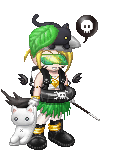
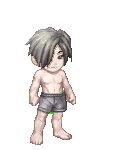
In this guide you will learn how to create a decent looking avatar. It seems simple, but so many people have trouble with this. I'll teach you basic color and style tips.
To start off, here are a few terms that may help you if you are confused:
Theme - "a unifying or dominant idea, motif, etc., as in a work of art."
MC - Monthly Collectable. Formally called DI [donation item]
Newb/Newbie - New person on Gaia. Commonly mistaken for 'noob'
Noob/N00b - A Gaia user who is annoying, hateful, and does not follow the rules. Commonly mistaken for 'newb'
I hope it helps ^^
|
 |
|
|
|
|
|
|
|
|
|
|
|
|
|
Posted: Sun Nov 04, 2007 6:09 am
|
|
|
|
|
|
|
|
|
|
|
|
|
Posted: Sun Nov 04, 2007 6:10 am
Tips on How to Make Your Avatar Better
Color - Choose around 3 colors [sometimes 2 works, sometimes 4 works, depends on what you want] that look good together. It usually helps to start out with the basic clothes and then build on the accessories over with your complimenting colors. When your done, take a good look at your avatar and sometimes you'll see it seems like something is missing. This may be another color. I usually like yellow as an accent color. Sometimes it seems like it wont match, but if you distribute the color evenly you can get almost any colors to match.
Even Distribution - It usually looks really bad if you have colors clumped together, or one color only on your avatars head, etc. Make sure each color is distributed evenly across your avatar. If you have green on the shoes make sure there's something green on the shirt or on something it's holding etc. This goes with shape/size as well. If your avatar has some huge accessory on the bottom it may look uneven if there's not something big on the top as well.
Rich or Poor? - You don't have to be a millionaire to have a slammin' avi. ;] You can buy cheap items and make them work just as well. If you don't have that Ninja Headband that would complete your look, try another headband or a hat. If you don't have a Nitemare Scarf, try a Gothic Veil. Don't have an Angelic Pendant? Buy a Demonic Pendant ^^ And you don't have to have MC's either. You can collect items from events and use them, or just use shop items. There are so many items out there besides the MC's.
Hair - Sometimes it's super annoying when you have blue hair but you want to make a red avatar. There are ways around this without spending tons of gold over and over again to buy new hair. One option is to buy Mythic Hair/Elemental Hair. I personally use Mythic hair a lot. But that could be pricey as well. You could also change to different starter hair without spending a single gold. Just go to your inventory and go to 'Customize me' Down toward the very bottom there is a little red button that says 'Delete Avatar' click this and it will ask for your password. It will delete your avatar [but not the items it is wearing]. Then you chose new starter hair/skin/eyes. This helps to change your hair to match without the cost, although you will be limited to the starter hair [which are mostly ugly in my opinion]
|
|
|
|
|
|
|
|
|
|
|
|
|
|
|
Posted: Sun Nov 04, 2007 6:12 am
ResourcesTo help with your avatar you may want to check out Tektek.org. You can create a dream avatar to help you figure out what sort of look you are going for.
Also, there is GAvSim. The simulator isn't working right now though -.-
Other less known simulators I've found:
eLouai
|
|
|
|
|
|
|
|
|
|
|
|
|
|
|
|
|
|
Posted: Sun Nov 04, 2007 6:13 am
Want to be rated?
Just post here and ask to be rated if you want. I may rate you, and whoever else who comes here can rate you as well.
Rating will be on a scale of 1-5.
1 - Needs tons of work
No theme, needs color coordination, missing basic articles of clothing, too cluttered/too plain, plain ugly.
2 - Needs work
Theme not very clear, needs color coordination, too cluttered/plain.
3 - Ok..but not great
Theme is represented but not quite there, lacking personaity, colors could use a little work, a bit of personality.
4 - Pretty good
Good theme but lacking a certain flaire/something missing, colors match and are distributed fairly well, a bit of personality.
5 - Perfect! :3
Great theme, colors match and are evenly distributed, has personality, not too cluttered or plain.
|
|
|
|
|
|
|
|
|
|
|
|
|
|
|
Posted: Sun Nov 04, 2007 8:22 am
*cuts ribbon*
My guide is done ^^
Tell me if you liked it :3
|
|
|
|
|
|
|
|
|
|
|
|
|
|
|
|
|
|
Posted: Sat Nov 10, 2007 3:31 pm
>>
Nice guide. :]
Rating?
<<
|
|
|
|
|
|
|
|
|
|
|
|
|
|
|
Posted: Thu Nov 15, 2007 2:46 am
Thanks! ^^
Okay..
5
The colors are good and evenly distributed. It looks nice =]
|
|
|
|
|
|
|
|
|
|
|
|
|
|
|
|
|
|
Posted: Wed Nov 28, 2007 5:01 pm
Nice guide. You probably should say something about people who just pile every item they can onto their avi because it makes them look rich rofl
btw, rate please?
|
|
|
|
|
|
|
|
|
|
|
|
|
|
|
|
|
|



 Reply
Reply